 Blu-ray Player for Mac
 How to Enable Blu-ray Playback on Mac OS X
Blu-ray discs aren't supported on Mac as for now, and Mac Bu-ray playback software in OS X has been easily got now. Of course, you can rip Blu-rays, but that takes forever, and you want to watch it now. For the Mac fans, there is a lot of Blu-ray software available now. Below I will introduce a great one for you - Aurora Blu-ray Player for Mac.
What You Need?
- A Mac, MacBook Air, MacBook Pro, Mac Mini, iMac or Mac Pro that running Mac OS X 10.6 or later version
- An external Blu-ray Disc Drive (Mac compatible)
- Aurora Blu-ray Player for Mac.
Guide
Step1. Connect Blu-ray drive to your computer
There is only DVD drive built-in with Mac. To read Blu-ray disc, you have to get an external Blu-ray drive and connect it with your computer.
Step2. Download & Install Aurora Blu-ray Player
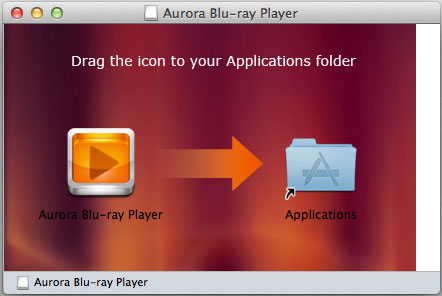
If you haven't yet done so, you'll need to install Aurora Blu-ray Player on your Mac first. In OS X, this is very easy: just download the installation file from Aurora official page and install it as you would any other program. The player is a simple drag-and-drop install.
Step3. Insert the Blu-ray disc
Aurora Blu-ray Player will recognize BD/DVD discs from drive automatically. After loading, the navigation panel will displayed and you can click "Play Movie" to enjoy the main movie directly, and click "Other titles" to check the movie's extra features.
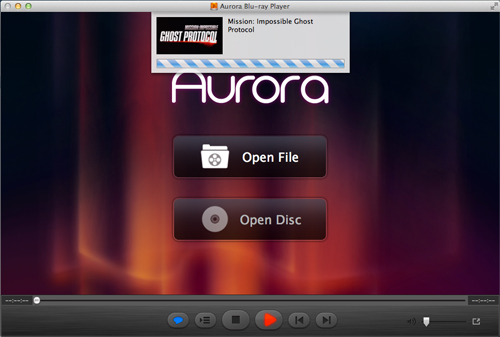
Note: When your Blu-ray playback, you can right click to control the play. For example, you can choose title, chapter, subtitle, adjust the volume and the screen size and so on.


