 Blu-ray Player for Mac
 Play Blu-ray on Macbook Pro with Aurora Blu-ray Player
The newest MacBook Pro is updated with stunning retina display, which will make your HD playback more enjoyable. Blu-ray, as the new generation of HD movie compression standard, is more and more popular among us. But to playback Blu-ray on a Mac computer is still a big hurt for all Mac users due to the Apple's not support for Blu-rays. In this article, we will introduce an easy way to deal with that.
Does the MacBook Pro support the Blu-ray playback? The answer may be no due to the lack of Blu-ray drive and there is no built-in Blu-ray codec for Apple computer. To deal with this, you need an external Blu-ray drive and third party Blu-ray player software, and thing will be a piece of cake.
If don't have an external Blu-ray now, you can get one from amazon.com. For Blu-ray software, Aurora Blu-ray player for Mac is recommended here. The tool not only allows you to enjoy the Blu-ray disc, Blu-ray folder, Blu-ray ISO on your MacBook Pro directly, but also be used as a free DVD media player. Aurora Blu-ray Player is compatible with MacBook Pro, Macbook Air, iMac, Mac mini, etc.
Note: Before Blu-ray playback, you should make sure that a Blu-ray drive(USB2.0 or above) is connected with your MacBook Pro and the internet connection is well.
Guide on Playback Blu-ray on MacBook Pro
Step 1
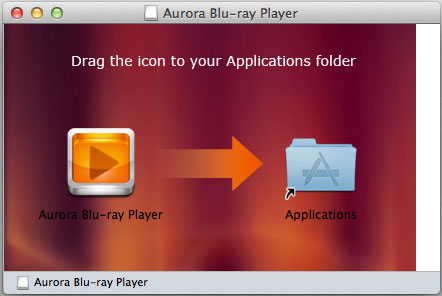
Free download the Blu-ray player software from Aurora download center, install it on your MacBook.
Step 2
Insert the Blu-ray disc into your drive connected with your Macbook, and run the player, it will read the Blu-ray automatically.
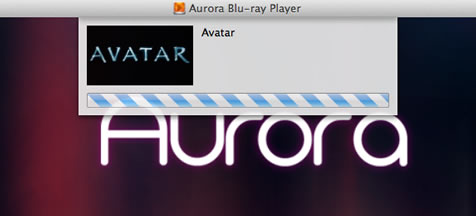
Now you can enjoy your Blu-ray movies on your MacBook Pro freely. It is very easy.
Note: The Aurora Blu-ray Player is a social Blu-ray media playback tool. That means you can share your current Blu-ray playback via Facebook or Twitter. To do this, just use the " " button to edit the info you want to share.


